Featured Stage
Helix Jump
New Games

Meet Helix Jump: One Ball, One Tower and a Long Way Down
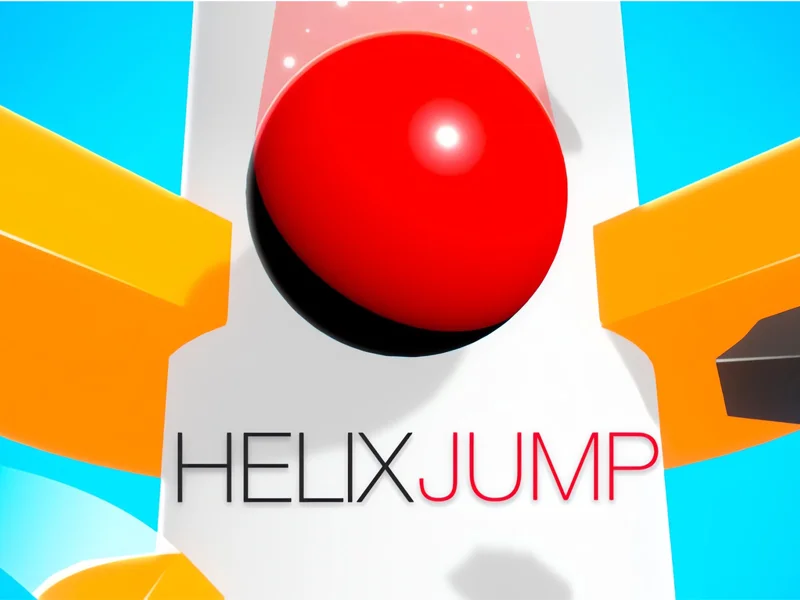
Helix Jump is a simple arcade game with a very clear goal. A small ball bounces on top of a tall tower made of round platforms that wrap around a central pole. Each platform has gaps in it, and your job is to turn the tower so the ball can drop through those gaps, level after level, until it reaches the bottom. The ball never stops bouncing, so you are always reacting.
The catch is colour. Most of each platform is safe, but some slices are painted a warning colour. If the ball lands on one of those slices, the run is over. That one rule turns Helix Jump into a quick test of timing and nerve, and short levels make it easy to say "just one more try".
Your First Run on paperio.net
You can play Helix Jump for free right here on paperio.net. There is nothing to download and no account to create. Press play on the game window and the first tower appears. Early Helix Jump levels are gentle, with wide gaps and few danger slices, so they work as a short tutorial.
paperio.net is an unofficial fan site built around Paper.io 2, and Helix Jump sits alongside it as a lighter game for short breaks. This browser edition of Helix Jump runs on a laptop, a desktop computer, a tablet or a phone.
Controls for Keyboard, Mouse and Touch
Helix Jump uses only one movement: turning the tower left or right. The ball just falls and bounces.
- Touch screens: swipe left or right across the game to spin the tower.
- Mouse: click and drag sideways to turn it.
- Keyboard: press A or D, or the left and right arrow keys.
Swiping gives the finest control in Helix Jump, because a short swipe makes a short turn. On a keyboard, tap the keys rather than holding them down, or the tower will spin past the gap you wanted.
Reading the Tower: Platforms, Gaps and Danger Slices
Every level in Helix Jump is built from the same few pieces, and learning to read them quickly is most of the skill.
Safe platforms
The normal sections of each ring are safe. The ball bounces off them, giving you time to line up the next gap.
Gaps
Openings in each ring let the ball fall to the next level down. Every platform you pass adds to your Helix Jump score, and a bar along the top shows how close your score is to the rival you are chasing.
Danger slices
These are the coloured sections you must avoid. Early on they sit still. Later they grow larger, sit right next to the gaps, and some slide along the ring, so a slice that looked far away can drift under the ball.
Fireball mode
If the ball falls through three or more platforms in a row without bouncing, it catches fire. For the next landing it smashes straight through whatever platform it hits, even a danger slice, and keeps falling. Some platforms also carry green arrows that can set off the same effect.
Ways to Fall Further
Helix Jump rewards patience more than speed. These habits help most Helix Jump players clear more levels.
Look one ring ahead
Before you drop the ball, glance at the platform below the gap. If a danger slice sits directly underneath, turn a little first so the ball lands on a safe section.
Turn in small steps
Big swipes are the most common cause of a lost Helix Jump run. Short, steady movements keep the ball where you expect it.
Chase combos on purpose
When several gaps line up, let the ball fall through all of them in one go. A long drop builds a combo and can trigger fireball mode, the safest way past a crowded platform.
Wait for moving slices
The ball's bounce is very regular, so you can count its rhythm. If a slice is sliding towards the gap, let the ball bounce once more and drop when the way is clear.
Practise the hard levels
A failed level in Helix Jump simply restarts, so every attempt is free practice.
From Mobile Hit to Browser Favourite
Helix Jump was made by Voodoo, a French studio known for hyper-casual games. These are mobile titles with one control and quick rounds. Helix Jump launched on phones in February 2018 and quickly became a viral success, one of the best-known examples of the style.
A browser edition followed later, and that is the version you can play here on paperio.net. This Helix Jump edition keeps the original idea and adds missions, coins and ball skins. Missions earn coins, and coins unlock new looks for the ball.
Common Questions from New Helix Jump Players
Is Helix Jump free to play on paperio.net?
Yes. Helix Jump is completely free on paperio.net, with no sign-up or install needed.
What happens if the ball touches a coloured slice?
The run ends and you start that level again from the top. The only exception is when the ball is on fire, because it then smashes through the slice safely.
How do I activate fireball mode?
Let the ball fall through three or more platforms in a row without bouncing. The ball lights up and breaks the next platform it lands on, danger slices included.
Can I play Helix Jump on my phone?
Yes. Open paperio.net in your mobile browser and swipe left or right to spin the tower. The game works in both portrait and landscape.
Does Helix Jump ever end?
No. New Helix Jump levels keep coming, each a little harder than the last.
What are coins and skins for?
Coins come from completing missions, and you spend them to unlock new ball skins. Skins change how the ball looks, not how it plays.
Why does the tower spin too far when I use the keyboard?
Holding a key keeps the tower turning. Try quick taps on A, D or the arrow keys instead, or switch to dragging with the mouse for finer control.
Ready for the Drop?
Helix Jump takes seconds to learn and much longer to master. Load Helix Jump above, spin the tower, and see how many levels you can clear. When you need a change, Paper.io 2 and the other games on paperio.net are only a click away.